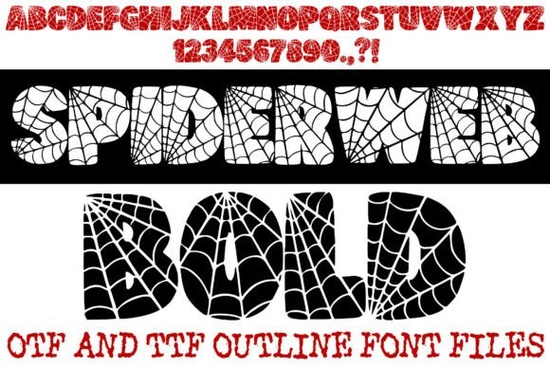
Looking for a Halloween font that instantly sets a spooky mood without sacrificing readability? The Spiderweb Bold Font combines a bold bubble-letter shape with a built-in web pattern, so your text looks like it was spun right out of a haunted attic. Whether you’re designing party invitations, custom T-shirts, or gothic social media graphics, this display typeface gives you a ready-made creepy texture that saves you hours of manual detailing.
How does the built‑in spiderweb pattern work in practice?
Each character (A–Z and 0–9) comes filled with a hand‑drawn cobweb interior. The thick, rounded “bubble” outline ensures the web stays visible even at small sizes, which is a common pain point with overly ornate Halloween fonts. You get the spooky aesthetic without losing legibility on things like stickers, banners, or product mockups.
Because the web is part of the letterform itself, you don’t need to layer textures or use clipping masks. Just type and the pattern appears. This makes it especially useful if you’re working with print‑on‑demand platforms that don’t allow complex layer effects.
Which projects benefit most from this bold bubble style?
- Halloween party invites & flyers – The high contrast silhouette pops against dark backgrounds (purple, black, orange) and stays readable on bright seasonal papers.
- Horror‑themed apparel – Screen printers will appreciate the clean outlines; no tiny gaps that could clog screens.
- Seasonal home decor signs – Think “BOO,” “TRICK OR TREAT,” or “SPOOKY” wall art where the web texture adds a handmade feel.
- Gothic social media graphics – The playful yet eerie look works for Instagram stories, YouTube thumbnails, or Etsy shop branding.
What’s included in the download – and is it easy to install?
You get both OTF and TTF outline files, so it works on Mac, Windows, and all major design software (Photoshop, Illustrator, Canva, Procreate, etc.). Note that the capital letters contain the full web outline; numbers and punctuation (. ? !) also have the texture, while lowercase letters are not included. If you need a full set with both cases, you may want to pair it with a simpler complementary font for body text.
Installation is standard: double‑click the file and hit “Install.” After restarting your design app, the font will appear in your type menu as Spiderweb Bold Font.
How does this compare to other decorative fonts for Halloween?
Most holiday display fonts fall into two camps: ultra‑thin script that disappears on dark backgrounds, or solid block letters that lack personality. The Spiderweb Bold Font splits the difference – heavy enough to read from across a room, yet detailed enough to make your design look custom. If you prefer a softer, love‑themed style for non‑spooky projects, you might also check out the Love Cat Font for its playful cat‑and‑heart shapes. For more spooky options with similar built‑in textures, browse the decorative fonts collection at Creative Fabrica.
Is it suitable for commercial use?
Yes – when you purchase the font through Creative Fabrica, you can use it in products you sell, such as T‑shirts, mugs, digital downloads, and branding materials. Always double‑check the specific license included with your purchase (standard for most POD projects).
Tips for getting the best results
- Use all caps for maximum web visibility – the effect is strongest on capital letters.
- Apply a solid background (black, dark purple, or deep red) behind light text to make the white web strands stand out.
- Avoid scaling the font down too small – below 24pt the fine web lines may become hard to see.
- For multi‑word phrases, add a little extra letter spacing (tracking) so the webs don’t visually overlap.
Next step: Download the Spiderweb Bold Font, test it on a simple “BOO” poster in your design app, and see how the web pattern transforms your Halloween flyers. If you’re designing for print‑on‑demand, create a mockup right away – the bold outline usually gets approved without revision.
Download Now Love Cat Font: Creative Design Ideas & Uses
 Desavers Font: Creativity & Design Ideas for Projects
 Font Inspiration From the Daily Mail Magazine
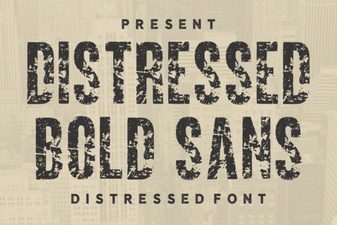 Bold Distressed Fonts for Modern Design Projects
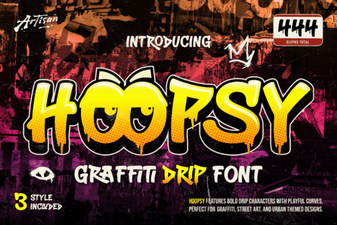 Hoopsy Font: a Designer's Playful Typography Toolkit
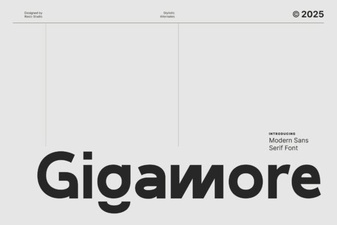 Gigamore Font: Design, Creativity & Projects