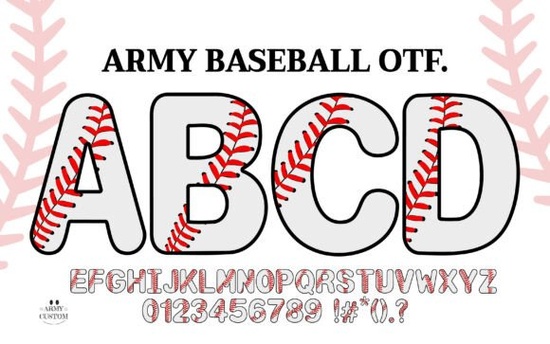
If you've been looking for a font that instantly turns your text into a piece of baseball equipment, the Army Baseball Font is worth a close look. It's a decorative color typeface where each bold, rounded letterform is detailed with red stitching, making it look just like a baseball. Whether you're designing a Little League jersey, a sports bar menu, or a birthday invite for a dedicated fan, this font does more than just spell words it creates a graphic element that stands on its own.
What makes the Army Baseball font special for sports projects?
The biggest draw is the built-in stitching detail. Instead of adding a separate texture or vector on top of your letters, the font itself includes those red seams. That means less time layering effects and more time focusing on your layout. The letters are also thick and outlined, so they remain clear even when printed large on a poster or a t-shirt. For anyone working on team branding or fan merchandise, this saves a lot of effort.
Because it's a color font, the stitching and the base letter color are part of the font file. In supporting software (like modern versions of Adobe Illustrator, Photoshop, or even some online design tools), you can type out a word and see the baseball stitching appear automatically. This makes it a practical choice for fast turnaround projects.
How can you use this stitched lettering in your designs?
The Army Baseball font works best as a headline or a prominent element. Since each character has a thick outline and clean internal space, it stays readable even when you scale it up. Try it on:
- Custom caps and trucker hats – embroidered or printed, the stitching style fits naturally.
- T-shirt graphics – use a single word (like a team name or a player's nickname) as the central design.
- Dugout signs and banners – large prints where the textured letters add visual interest.
- Water bottles and drinkware – the bold outline helps the text stand out on curved surfaces.
- Party invitations – for baseball-themed birthdays or watch parties, it sets the tone immediately.
The font is also useful for digital projects like social media graphics or YouTube thumbnails for baseball content. Because the stitching is already part of the letters, you don't need to add extra shadows or highlights to make it pop.
Can you use it for print-on-demand products?
Absolutely. Print-on-demand sellers often look for fonts that work well on physical items without needing manual adjustments. The Army Baseball typeface has a thick outline that prevents the letters from disappearing when printed on dark fabrics or light materials. The internal white space (the area inside the stitching) helps the text remain legible even in smaller sizes.
For POD products like mugs, phone cases, or tote bags, the font's built-in color means you can save time by not having to color in each letter manually. Just make sure your POD platform supports color fonts (many do through SVG or OpenType-SVG formats). If not, you can always rasterize the text as a high-resolution image before uploading.
What typefaces work well alongside the Army Baseball font?
Since the stitched letters are already busy with detail, pairing them with a simple, athletic slab serif keeps the design grounded. A clean sans-serif or a straightforward slanted font also works, especially if you need a secondary line of text (like "Established 2024" or a player number). Avoid pairing it with another decorative font the result can feel cluttered.
You can also combine it with distressed textures or subtle halftone patterns for a vintage baseball card look. But the stitched letters themselves are strong enough to hold their own without heavy effects.
Common questions designers ask about color fonts like this one
Will the stitching show up in all design software?
Not all programs support color fonts the same way. Adobe Creative Cloud apps (Illustrator, InDesign, Photoshop) handle them well. Some online tools like Canva and Cricut Design Space also work with certain color font formats. Always test the font on your specific setup before starting a large project. If your software doesn't support color fonts, you can use the font as a regular outline and manually add red details but you lose some of the convenience.
Is it suitable for embroidery digitizing?
The thick outlines make it a good candidate for embroidery, but because the stitching inside the font is a graphic detail, you'll need to simplify it for thread. You can use the basic letter shapes from the font and then create a separate stitch file for the red seams. Many embroidery designers start with the font as a base and then manually add satin stitches along the white lines.
Can you resize it a lot without losing quality?
Yes. Since it's a vector-based font (OTF), it scales infinitely. The stitching remains crisp at any size. This is a major advantage over pixel-based graphics when you need to print a tiny decal and a giant banner from the same design file.
Practical next steps
If you're ready to try this font in your next project, here's a simple checklist to get started:
- Download the Army Baseball font from Creative Fabrica you can find it directly on the product page here.
- Test it in your design software before committing to a full layout. Check that the stitching renders correctly.
- Use it for one big word rather than long sentences. The font shines as a focal point.
- Pair it with a plain slab serif or sans-serif for secondary text to keep the design balanced.
- Export a test print if you're making physical products especially for embroidery or POD apps to see how the details hold up at your target size.
That's it. A single typeface that can carry the look of an entire baseball-themed project without needing hours of manual detailing.
Try It Free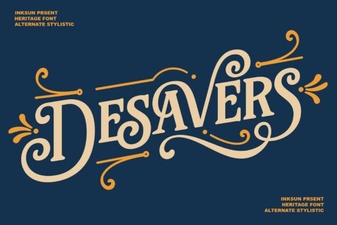 Desavers Font: Creativity & Design Ideas for Projects
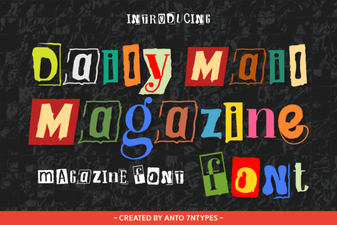 Font Inspiration From the Daily Mail Magazine
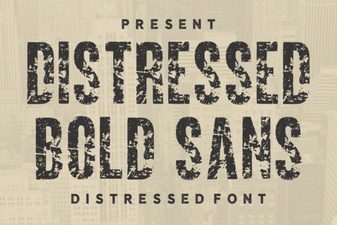 Bold Distressed Fonts for Modern Design Projects
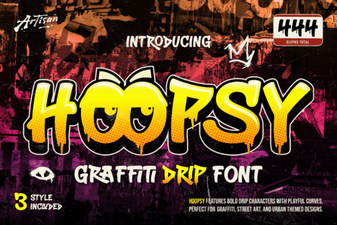 Hoopsy Font: a Designer's Playful Typography Toolkit
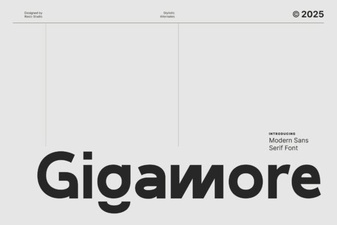 Gigamore Font: Design, Creativity & Projects
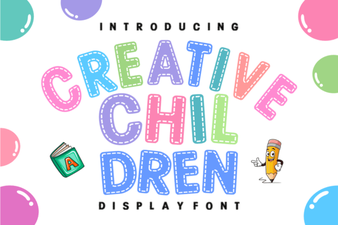 Fun, Playful Fonts for Kids' Creative Projects